Appearance
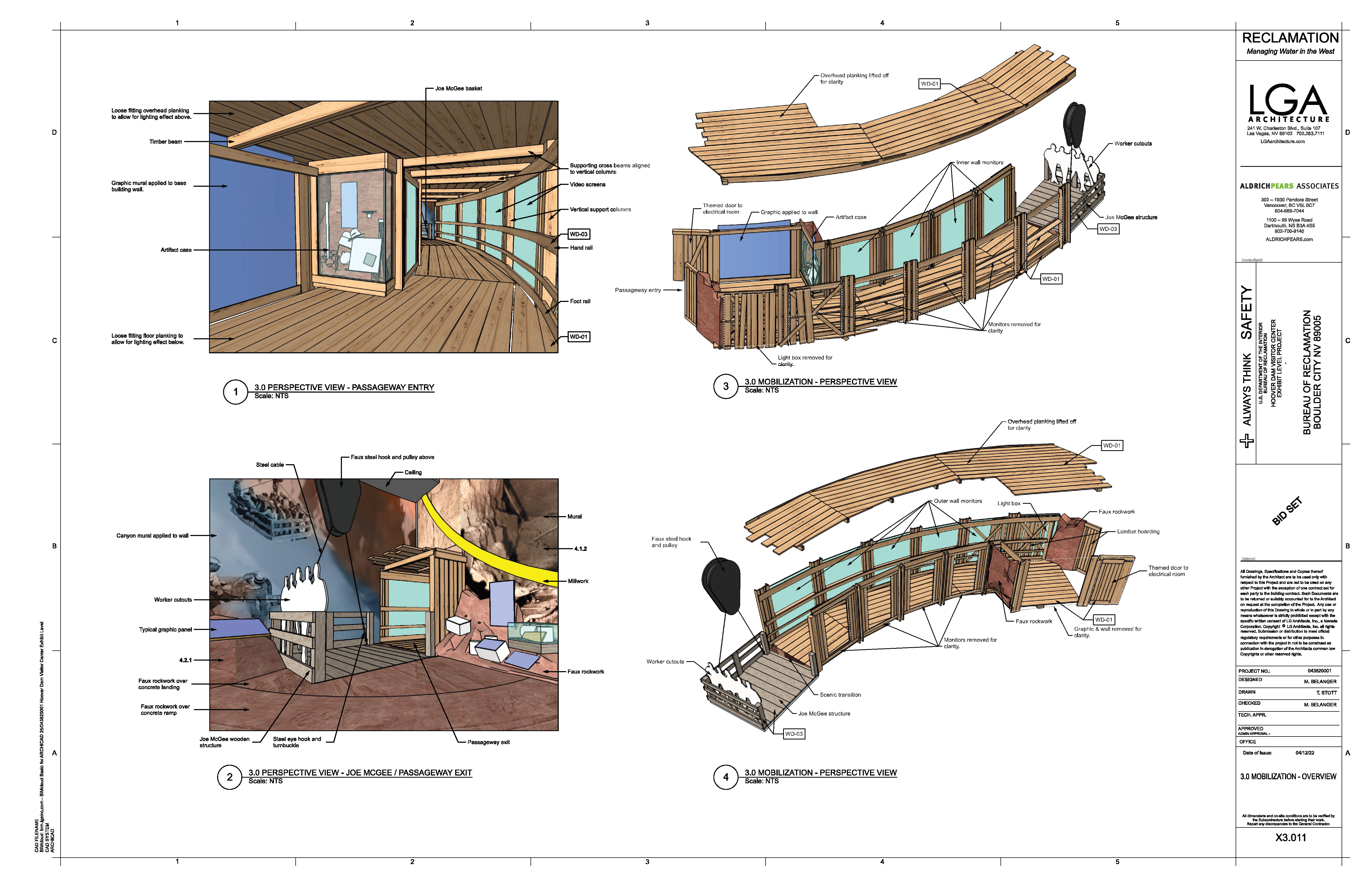
3.1.3 Passageway Experience (Construction Audioscape)
📝 Summary
Ambient construction sounds play along the passageway using ceiling speakers, hidden subwoofers, and tactile transducers.
📦 Equipment
| Device | Model | Quantity | Location |
|---|---|---|---|
| QSC Ceiling Speaker | AD-C4T-LP | 6 | Ceiling |
| QSC Surface Subwoofer | AD-S.SUB-BK | 2 | Wall |
| Dayton Tactile Transducer | BST-1 | 8 | Structure |
🎨 Renders
🔌 Wiring Diagram

🎛️ Controls

🛠️ Operation
- The system will come on automatically based on a global schedule, or you can override it using the control tablet.
- Confirm the ambient bed is playing across the ceiling speakers, subwoofers, and tactile transducers.
- Adjust amplifier levels in Q-SYS as needed.
🧰 Maintenance
- Periodically check speaker mounts and transducer fasteners.
- If a zone is silent, confirm the driving QSC amplifier channel is online in Q-SYS and check the speaker wiring back to the rack.
- If the ambient bed does not start on schedule, verify the audio player and schedule on the Q-SYS Core.
⚙️ Configuration
Applications Used
- Q-SYS Designer: audio playback, routing, level control, and scheduling on the Q-SYS Core, and control of the QSC network amplifiers.
Connection Details
This exhibit has no IP-addressable devices at the speaker level; the speakers and transducers are wired to shared QSC CX-Q4K8 network amplifiers in the MDF rack, sourced from the Q-SYS Core:
- Q-SYS Core (CTL01-01): 10.10.0.2 (LAN-A) / 10.10.0.3 (LAN-B)
- QSC CX-Q4K8 Amplifier (AMP01-02): 10.10.0.12 (LAN-A) / 10.10.0.13 (LAN-B) - ceiling speakers and subwoofers
- QSC CX-Q4K8 Amplifier (AMP01-03): 10.10.0.14 (LAN-A) / 10.10.0.15 (LAN-B) - tactile transducers (channels A and B)
Updating Media
Ambient construction audio for this exhibit is hosted on the Q-SYS Core, not on a media player.
- Open the design in Q-SYS Designer and connect to the Core.
- Replace the audio file in the audio player component that feeds this exhibit.
- Save and deploy the design, then confirm playback across all zones.
🔧 Troubleshooting
One area of the ambient sound is silent (ceiling speakers, subwoofers, or tactile transducers)
Why
Usually the driving QSC amplifier channel is offline or a speaker run has a wiring fault. This exhibit has no IP-addressable devices at the speaker level; audio comes from the Q-SYS Core through the shared CX-Q4K8 amplifiers (AMP01-02 at 10.10.0.12, AMP01-03 at 10.10.0.14).
Do this
- Confirm the ambient bed is playing in the other zones.
- Note which zone is silent (ceiling speakers, subwoofers, or transducers).
Still stuck
Report the silent zone. Amplifier and routing checks are made remotely in the Q-SYS design.
The ambient sound does not start on schedule
Do this
Note the time and report it. The audio player and schedule live on the Q-SYS Core and are corrected remotely.
If the first action does not resolve it, contact the KMI AV support team: Brian Alexander, 214-799-1850, Brian.Alexander@OnyxIntegrations.com.