Appearance
4.1.6 Surveyor/Transit Views
📝 Summary
Visitors look through paired eyepiece monitors to see historic surveyor and transit views of the dam site. Two interactive PC kiosks drive the eyepiece displays.
📦 Equipment
| Device | Model | Quantity | Location |
|---|---|---|---|
| PortKeys Eyepiece Monitor | LEYE III | 2 | Exhibit |
| PortKeys Monitor Holder | MH-2 | 2 | Exhibit |
| IDK HDBaseT Receiver | HDC-S01U-R | 2 | Exhibit |
| IDK HDBaseT Transmitter | HDC-S01U-T | 2 | MDF Rack |
| Transit Viewer PC (interactive kiosk) | Intel (Lenovo P3 Tiny) | 2 | MDF Rack |
🎨 Renders
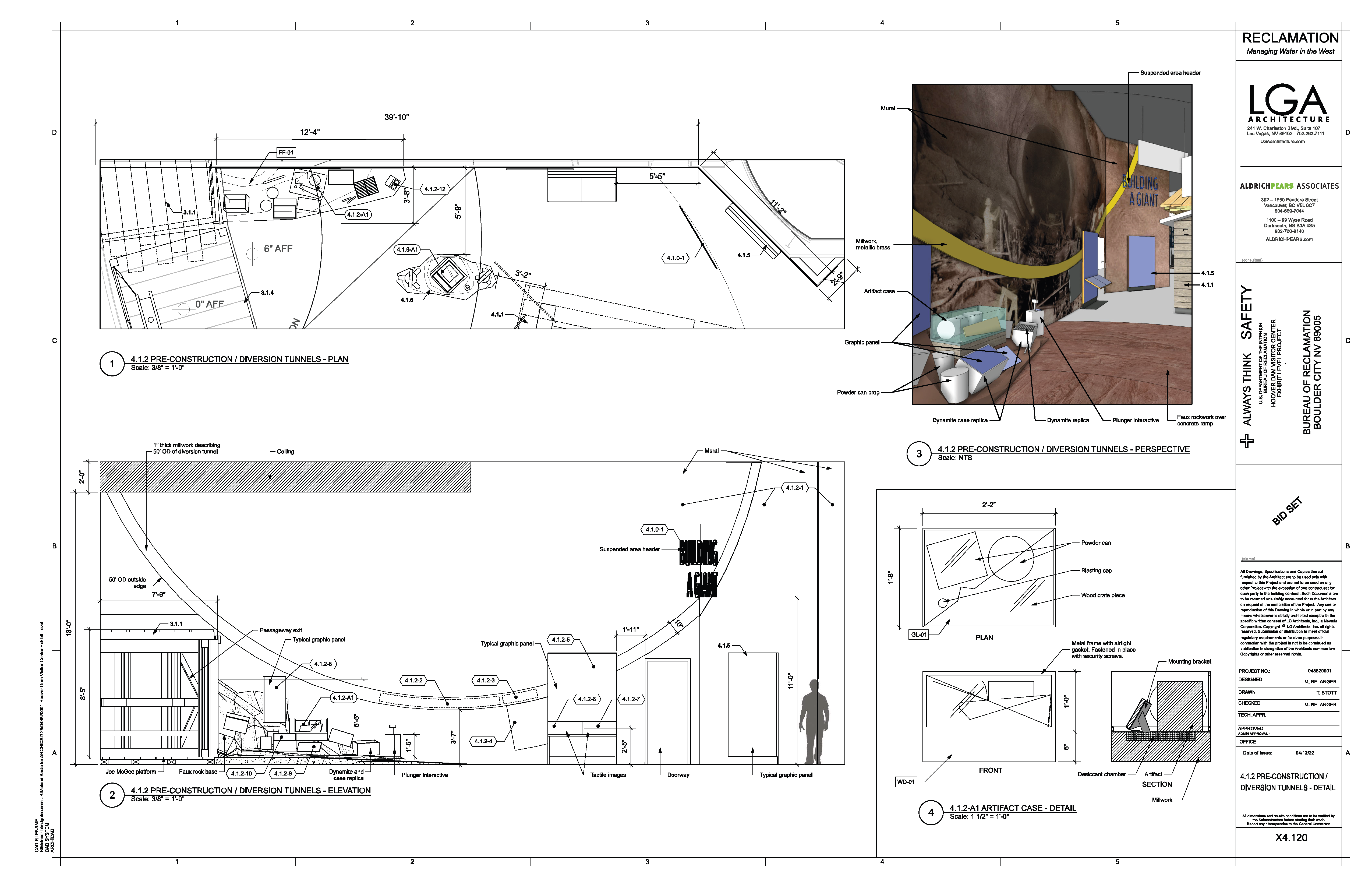
System render showing the two eyepiece stations and device placement.
🔌 Wiring Diagram

Signal and power wiring: each Transit Viewer PC to an IDK HDBaseT transmitter, extended to a receiver at the eyepiece monitor.
🎛️ Controls
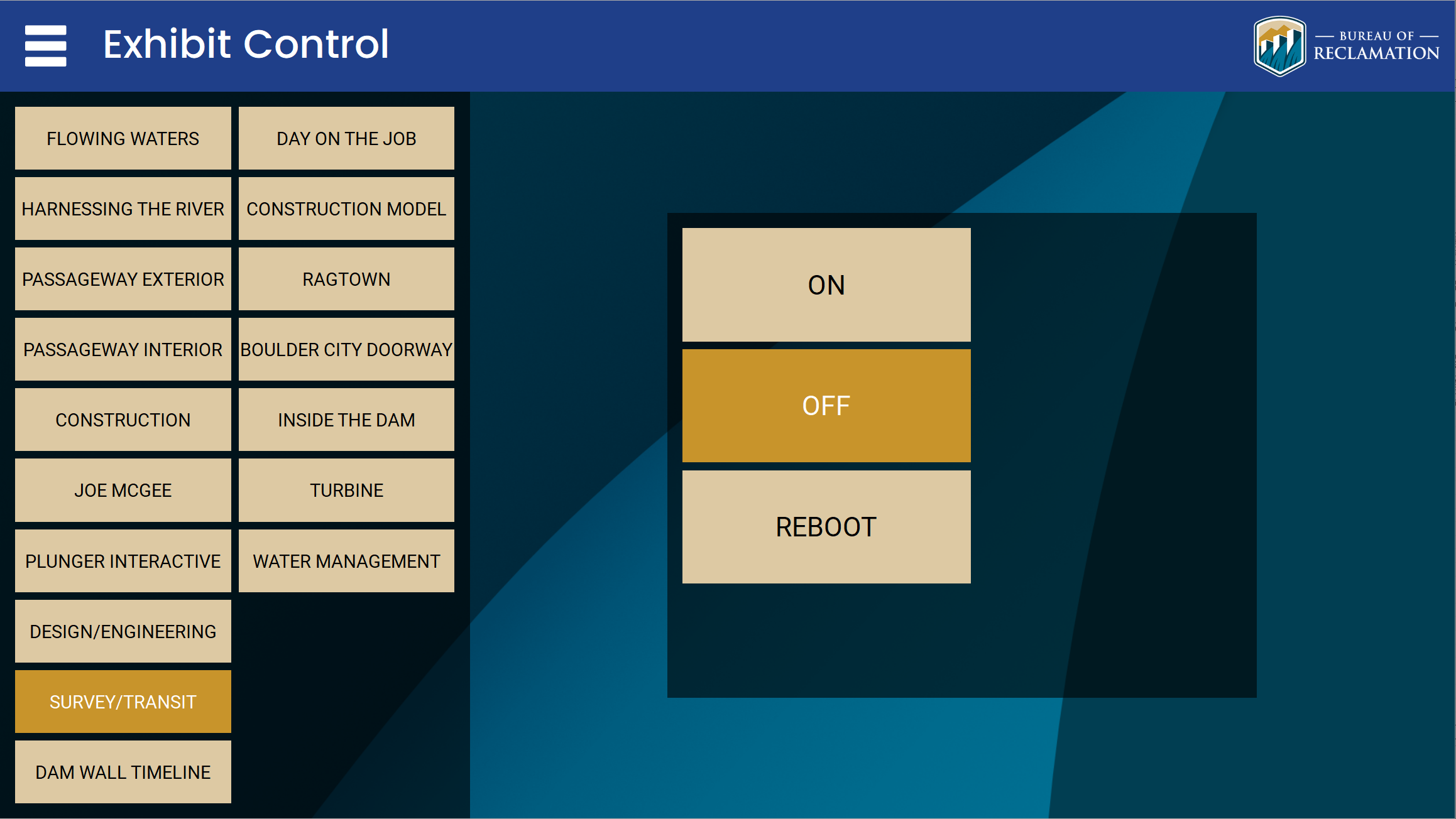
Power on/off and reboot are handled through the control tablet and the Q-SYS/Ottomater show controller. Ottomater cues for this exhibit: ON 81, OFF 82, reboot 83.
🛠️ Operation
- The exhibit powers on automatically with the global schedule (7:00 AM to 6:00 PM) or can be overridden from the control tablet.
- Confirm both PortKeys eyepiece monitors show video.
- Verify each Transit Viewer PC is running and outputting to its eyepiece over the IDK HDBaseT link.
- To restart, reboot the exhibit from the control tablet (Ottomater reboot cue 83).
🧰 Maintenance
- Check the focus and physical alignment of each eyepiece in its MH-2 holder.
- Clean the eyepiece optics and confirm the HDBaseT receivers are linked with no signal dropouts.
- Restart a Transit Viewer PC if its eyepiece loses image.
⚙️ Configuration
Applications Used
- IDK HDC-S01U web UI: HDBaseT transmitter and receiver status and EDID settings.
- Kiosk software on the Transit Viewer PCs: content playback and lockdown.
- Q-SYS Designer / Ottomater: scheduling and power cues (ON 81, OFF 82, reboot 83).
Connection Details
- Transit Viewer PC (DVP01-01, Intel Lenovo P3 Tiny): 10.10.0.75
- Transit Viewer PC (DVP01-02, Intel Lenovo P3 Tiny): 10.10.0.76 (inventory note: was temporarily on 10.10.0.253)
- The PortKeys eyepiece monitors and the IDK HDBaseT extenders carry AV over HDBaseT and are not IP-addressable.
Updating Media
- Connect to each Transit Viewer PC (10.10.0.75 and 10.10.0.76) via a remote session or the MDF rack KVM.
- Replace the surveyor/transit view content in the kiosk application's content folder.
- Restart the kiosk application and confirm both eyepieces show the updated views.
🔧 Troubleshooting
One or both eyepiece monitors show no image10.10.0.75 / 10.10.0.76
Why
Usually the driving Transit Viewer PC (10.10.0.75 or 10.10.0.76) needs a restart, or an eyepiece lost its HDBaseT link.
Do this
- Confirm which eyepiece is affected and check its HDBaseT receiver link.
- Reboot the exhibit from the control tablet (Ottomater reboot cue 83) and allow the PC to restart.
Still stuck
If an eyepiece stays dark after one reboot, contact support.
If the first action does not resolve it, contact the KMI AV support team: Brian Alexander, 214-799-1850, Brian.Alexander@OnyxIntegrations.com.